


– The estimated reading time is 4 min.
At Microsoft, working with exceptionally talented people can feel like the norm, but discovering what they craft and build outside of work never ceases to amaze. You Zhang is a designer from China. During his time with Windows, he initially focused on the core interactive and visual experience, shaping its UX motion, wallpapers, and marketing videos.
Recently, however, he has pivoted toward the architectural side of the craft. His current work centers on design systems, prototyping, and vibe coding, where he develops the foundational scaffolding that helps his team transition from static designs to interactive prototypes, exploring new ways to bridge the gap between a design concept and a functional, “living” product.
In his former life, You was a visual storyteller, producing CGI and cinematic effects for the wildly imaginative studio ManvsMachine. As of late, embracing vibe-coding has brought him full circle to what he studied in college―interaction design. Through You’s experiments with designing widgets, he’s found a new way to work. Widgets are modular, interactive surfaces that bring functionality closer to the moment of need, small in scale, but powerful in how they shape people’s behavior. In his own words, You talks about vibe coding to design widgets and try new workflows.
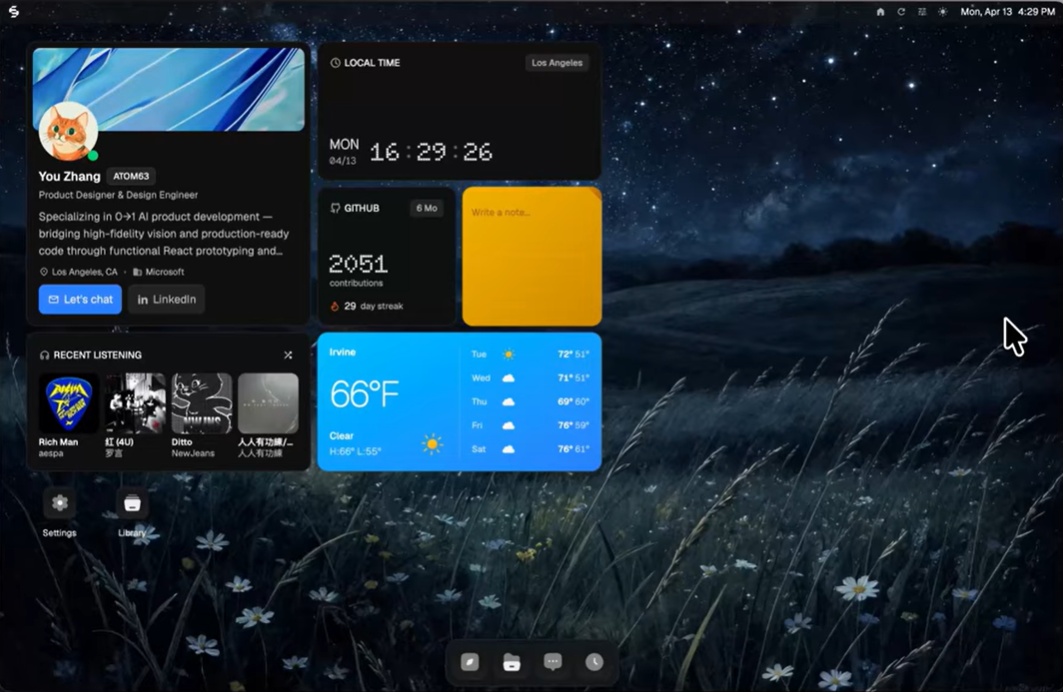
I always think about the code first. The reason I do that is because if I go into Figma first, I start thinking from the design side. It’s almost a bottom-up way of thinking. I think about how things look and what colors I need to use, but I’m not thinking about the structure. I’m not thinking about information architecture. So, the first thing I do is ask AI to draw me a wireframe. That way, I don’t miss things that could be useful for the product or service I’m designing.
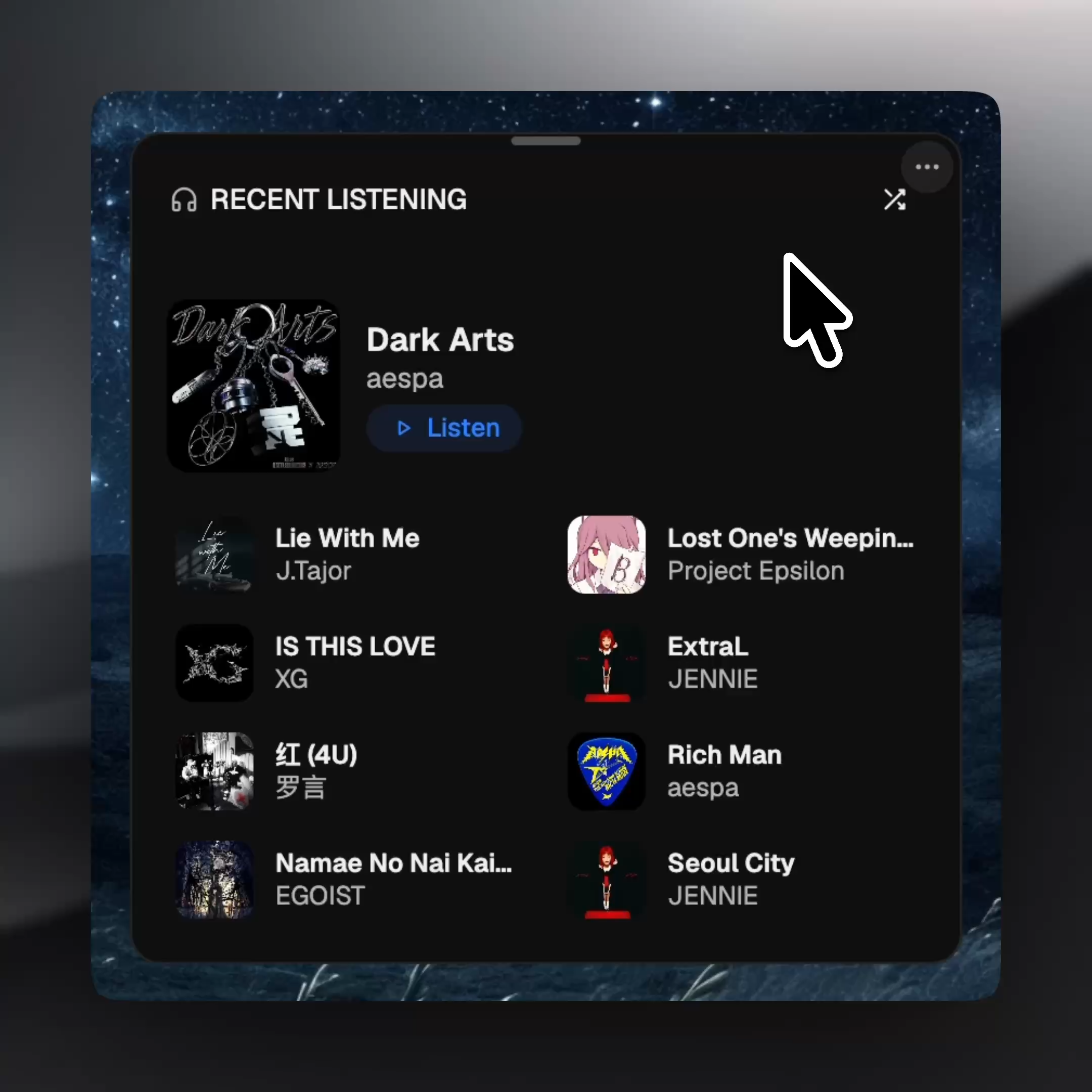
Based on my rough outline, AI is able to respond to the structure I provide while also giving me things I didn’t think about. For example, if I want an album widget, I’ll only describe what I need it to have, which is albums. Then AI will automatically include a button to shuffle the music. That’s something I might not initially think about including my design, but AI will.
Depending on whether your design system is composed into the code base, the architecture may look random, but the information is good. So, I take that information into Figma and compose the visual UI with the right color, spacing, and radius. I do all the visual refinements in Figma, then bring them back into the code so the two sides can meet at one point and be both informationally and visually correct. But I always start with the information first because that’s more important. You have to ask, is the information you’re presenting relevant to the user and to their flow?
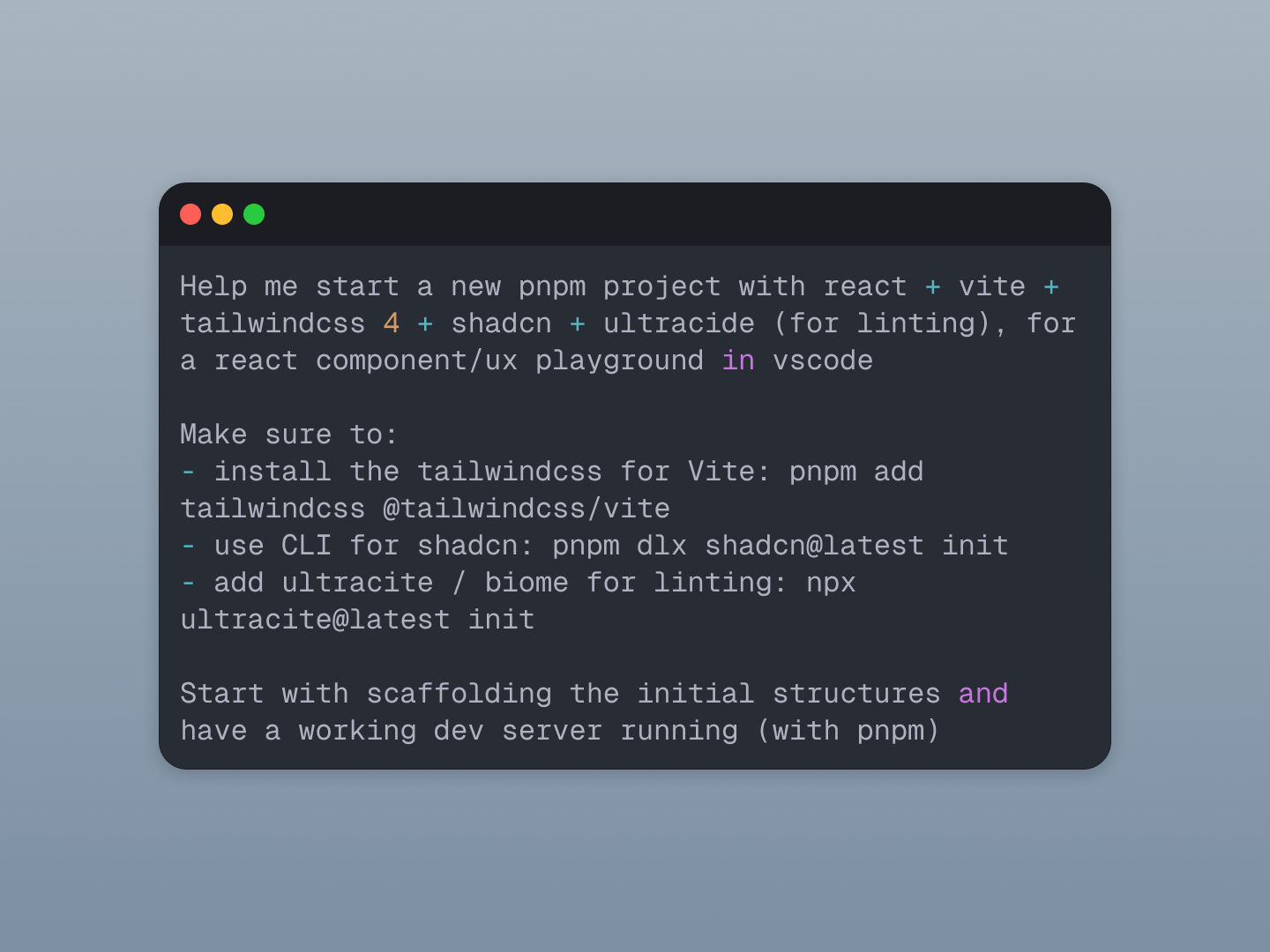
A big part of vibe coding is communicating my ideas to AI. A lot of people struggle with that at the beginning because they don’t know how to prompt, and prompting actually matters a lot. I’m treating AI as my engineering partner, so I describe the need and my thinking as accurately as I would describe it to a real engineer.
These designs are my personal exploration, driven by an internal need to demonstrate how I can use AI to create slightly more sophisticated concepts, like a widget with maybe two or three sizes and how we can bridge the transition between them.
I want people to think, okay, this feels like a real widget on an Apple computer, with small interactions, micro-interactions, and smooth transitions. I wanted my widgets to behave similarly to the widgets people already use on a Mac, so they recognize the patterns: you can drag and drop, you can change the sizes. Those are all familiar behaviors people already know. But I mainly wanted to prove that I could code this out and make it feel real.
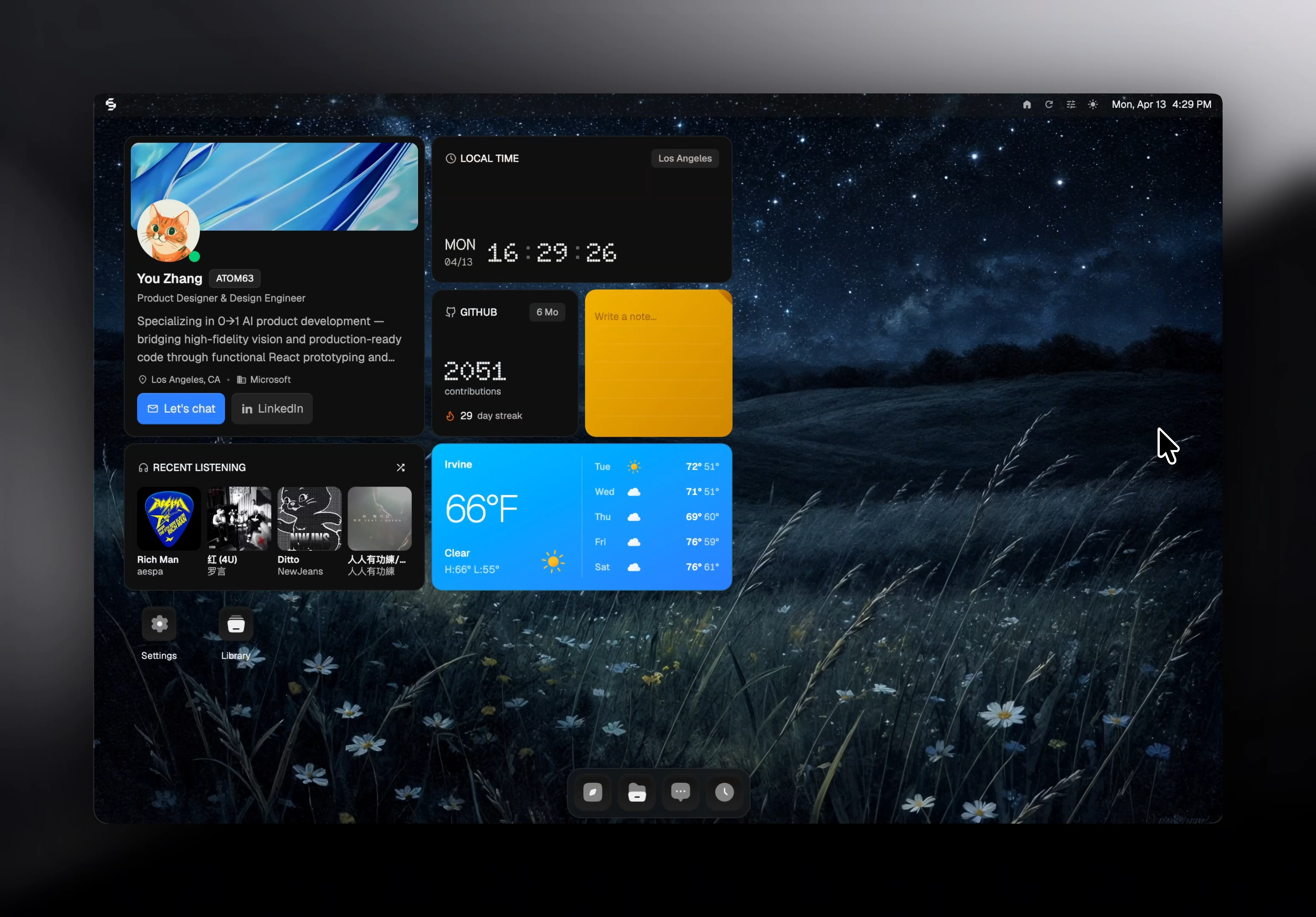
It’s a proof of concept, and I hope it gets people thinking, okay, if this person can do it, maybe I can do it through AI too. I’m just trying to inspire people to try this workflow: designing in code versus designing in Figma first and coding second. Because when you build from the logic up, you aren’t just drawing pixels anymore, you’re actually building them.