


A touch of feeling: advanced haptics in Windows 11
Guidelines on how to design haptics for supported devices
– The estimated reading time is 7 min.
What is haptic feedback? It’s the buzz of your pocket from an incoming call. It’s when a door clicks shut, a light flicks on, or a buckle snaps tight. Haptics tech means touch―feel. Digital devices use sensation to communicate brief information. As AI systems, ambient computing, and multimodal interfaces become more common, touch can help make interactions feel more contextual and dimensional.
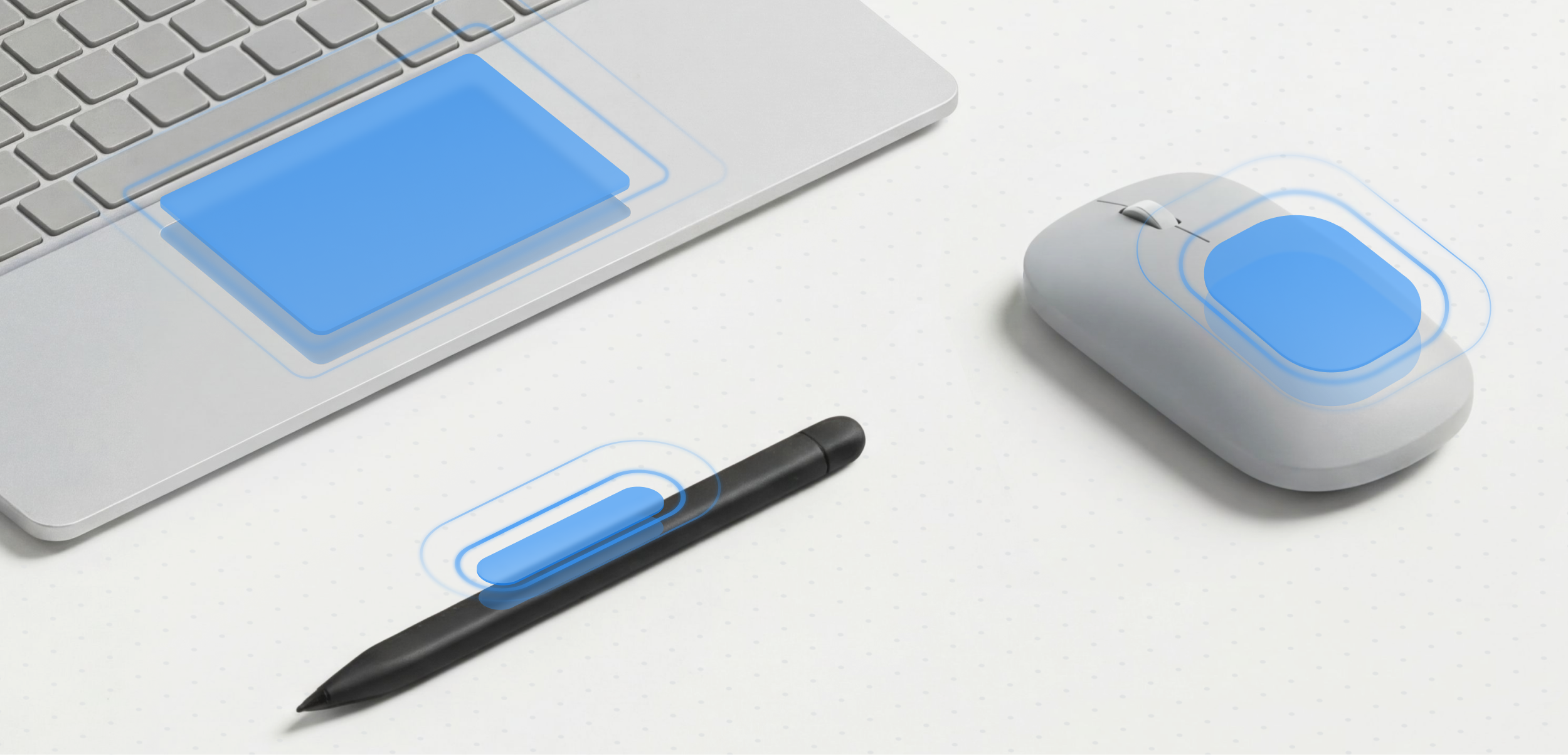
To bring that experience to our customers, we’re introducing advanced haptics in Windows 11, deploying haptic technology that enables you to control when feedback lands and how it feels. Moreover, to support the adoption of advanced haptics, we’re also introducing our haptics guidelines for developers. Touch has a long and vibrant history, and these guidelines build on that legacy, to chart a new path. But before we look forward to how haptics design can make your experiences feel more natural for people, let’s take a look back at moments that made technology feel physical, and show how haptics design can improve coherence, increase accessibility, and help you make your experiences feel more natural.
One small pulse, one giant leap
Tactile feedback used to be the bells & whistles of game controllers that rumbled at peak moments, further immersing players in virtual realms. In Xbox games like Halo: Combat Evolve, Project Gotham Racing, and Fable, rumbles reinforced explosions and weapon fire. Directional feedback simulated the acceleration of a car. Vibrations heightened tension in the environment, and a low-health warning pulsed the slowing of a heartbeat. Every vibration blurred the line between what players saw on screen and what they physically felt in their hands. Physical feedback started as a spectacle, but gradually it became a new sensory layer for interaction design.
Yet many of gaming’s tactile foundations originated long before consoles. World War II-era aviation systems experimented with tactile alerts, such as vibrating controls and physical warning cues to help pilots react faster under pressure and low-visibility conditions. The automotive industry later adopted similar principles through haptic steering wheels and dashboard feedback, reinforcing driver awareness without demanding visual attention. Gaming expanded these ideas emotionally, transforming touch from a functional alert system into a language that expresses the physicality of imaginary worlds.
Once vibration became a part of interaction design, software eventually began experimenting with it as a form of guidance. Between 2003 and 2008, Windows Mobile and Pocket PC introduced vibration feedback for taps, errors, and interface actions in apps like Pocket Word and Pocket Excel. It was one of the first moments where haptics became tied not to entertainment, but to everyday productivity. It also showed us early signs that feedback could become an interface.
More than a good vibration
Over the years, our research has taught us that haptics feedback boosts clarity and confidence, letting you know you’re on the right track. It also attracts people’s attention more than visuals or sound. Bypassing our visual and auditory senses, touch comes before language. As babies, it is how we explore and learn about the world. Just as early humans associated the making of a fire with the feeling and sound of clacking rocks, we assign meaning to different haptic patterns.
Windows 11 organizes haptic effects into two primary categories: interaction feedback and process confirmation. Interaction feedback delivers a discrete haptic pulse when something changes, such a control snapping into position or an image aligning to a text box. Process confirmation, by contrast, provides sustained or patterned feedback as the outcome of a completed action. Together, these two categories cover the vast majority of interaction scenarios, helping you to create experiences that communicate both immediate changes and continuous system behavior through feedback.
Sensations reinforce memory and lower your cognitive load, reaffirming that a file was dropped, or a window snapped to full screen. Tactile feedback helps interactions feel responsive and engaging. In cause-and-effect moments, subtle vibrations inspire delight, as if you’re receiving undivided attention, like a pat on the back, a high five, a handshake, or unequivocal dap. When strategically applied – because not every interaction needs a feedback signal – haptics can make interactions feel more grounded in familiar real-world cues.
Trust, felt
Although haptic signals communicate interaction, they also shape emotional tone. Think of the differences between a firm handshake at a business meeting, your bare feet on soft grass, or the embrace of a loved one. Touch deepens presence, response, and certainty. A vibration is never purely functional. The same pulse can feel reassuring, urgent, playful, calming or disruptive depending on its timing, intensity, rhythm and context. Because touch is immediate and deeply tied to instinct, haptic feedback often creates an emotional response before a person consciously interprets what visually happened.
The unique nature of touch is that we often trust the sensations we feel. That’s why haptics is important to reinforce a person’s completed action at key moments. Deploying haptics at insignificant moments dilute the physical signal and it breeds distrust. As AI systems become more autonomous and less visibly mechanical, these emotional qualities of touch become increasingly important. Haptics can help intelligent systems feel more legible, reassuring, and trustworthy by grounding invisible decisions in physical feedback. That’s why the new guidelines are important, to help you consistently apply haptics across similar interactions.
Discover More:
The texture of interaction
The evolution of haptics and its importance as a technology is making physical feedback a foundational part of designing experiences. It represents a move toward more human-centered design. As AI systems become increasingly intelligent, touch maintains a sense of physicality in experiences that might otherwise feel distant or abstract. It turns actions into something people can actually feel.
While the duration of a well-designed pulse is often short, the impact of these moments compounds over time. They help people build intuition, trust systems, and maneuver through complexity. Designing haptics always begins with intention. Through timing, intensity, rhythm, and context, every tactile cue carries meaning.
We don’t just see through our eyes, and as interfaces continue moving beyond screens into voice, gesture, AI agents, and spatial computing, touch may become one of the most important ways digital experiences remain grounded in human perception.

Inclusion: Designing a wider welcome
We mentioned WWII earlier, but the beginnings of feedback technology go back even further to the 1800s with the invention of Braille, a writing system of raised dots representing letters and words that blind people used to read and write. Around the same time, the telegraph transformed clicks and taps into long-distance messages. They encoded vibrations with meaning that were felt and read by our fingertips. In the 1960s, the sidelined brilliance of Dr. Paul Bach-y-Rita was recognizing that the human brain could translate visual information into tactile sensations. For the rest of us, he validated what blind people already knew: humans could see through touch.
Our intent when introducing advanced haptics in Windows 11 is to build inclusion into the design. For blind and low-vision people, as well as people who are deaf or hard of hearing, haptics can offer another way to perceive and navigate digital experiences. Like many inclusive design solutions, they improve everyone’s experience.
Since computer usage became common place, our input has relied on visual confirmation and learned behaviors. The screen reflected the pop of our keystrokes, the movement of our mouse. The novelty of computers made us feel empowered, productive, and in control, but visual confirmation excluded blind people and others with different abilities and devices. The experience didn’t scale. Now we have a chance to change that.
Advanced haptics in Windows 11 is now available. Get started designing your haptics experience here.